See the Aviation QMS screen by screen.
A guided tour on sample data: safety reporting, audits, findings, non-conforming parts, compliance and the aircraft store, with where to find each screen.
Request a live demo →Back to Aviation QMS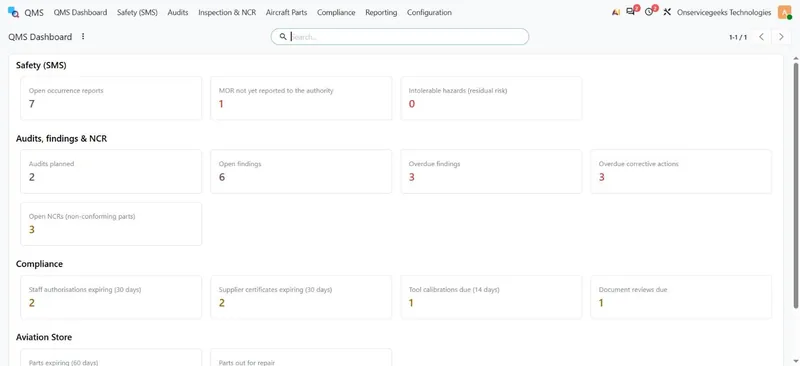
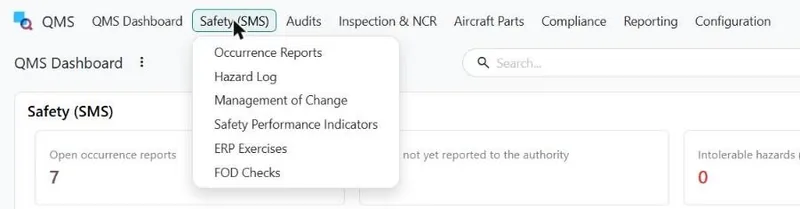
Every screen is three clicks away.
- Open the app: QMS for quality and safety, Aviation Store for parts
- Pick the top menu, for example Safety (SMS), Audits or Compliance
- Pick the item, then open a record from the list
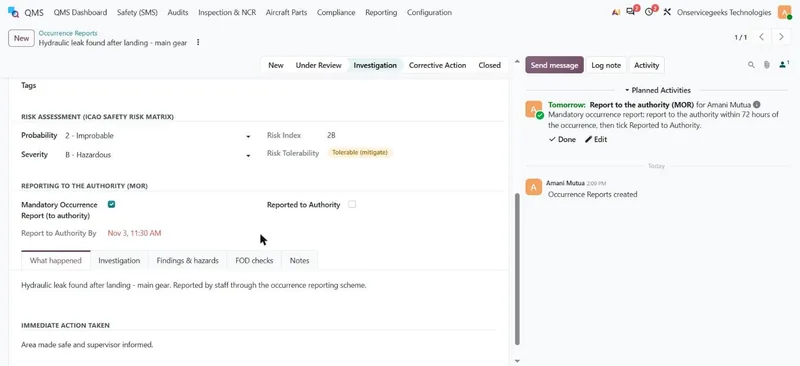
Occurrence reports with the MOR clock built in.
Staff report occurrences on screen or by e-mail. Each report carries the ICAO occurrence category, aircraft, ATA chapter and phase of flight.
- Risk index from the ICAO safety risk matrix
- Mandatory reports get a 72-hour deadline and a to-do
- Reporter can be kept confidential to the safety office
Where: QMS › Safety (SMS) › Occurrence Reports
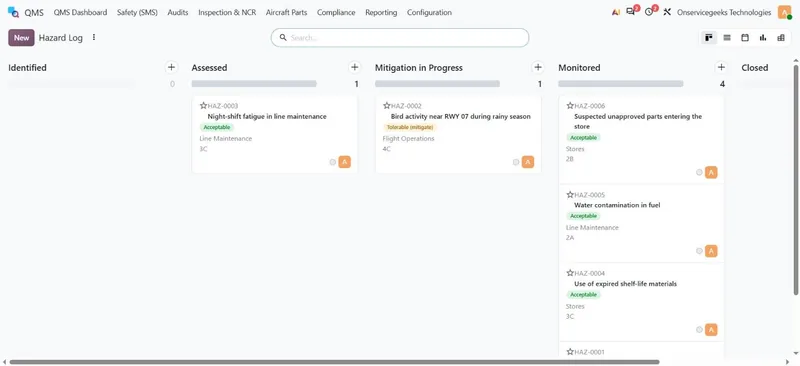
The hazard log from identified to closed.
Every hazard moves through assessment, mitigation and monitoring, with its initial and residual risk recorded so you can show the risk came down.
- Initial and residual risk with tolerability
- Mitigation actions with owners
- Management of change, SPIs and emergency exercises alongside
Where: QMS › Safety (SMS) › Hazard Log
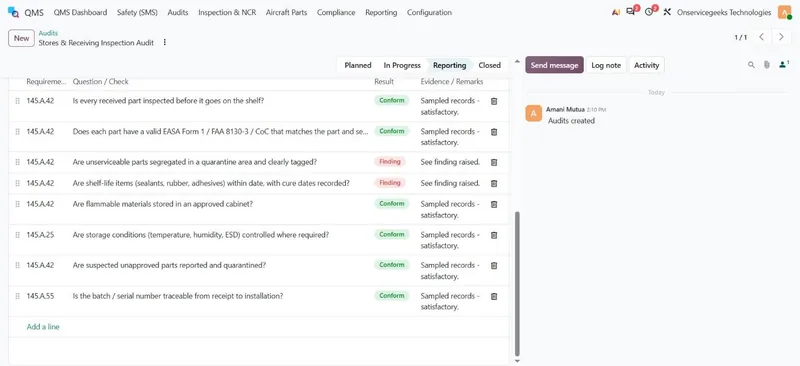
Audits run from Part-145 checklists.
Choose a checklist template and its questions load with their regulation clause. Each line is marked conform or finding, with the evidence sampled.
- Checklist templates per area
- Result and evidence per question
- Audit report printed in one click
Where: QMS › Audits › Audits
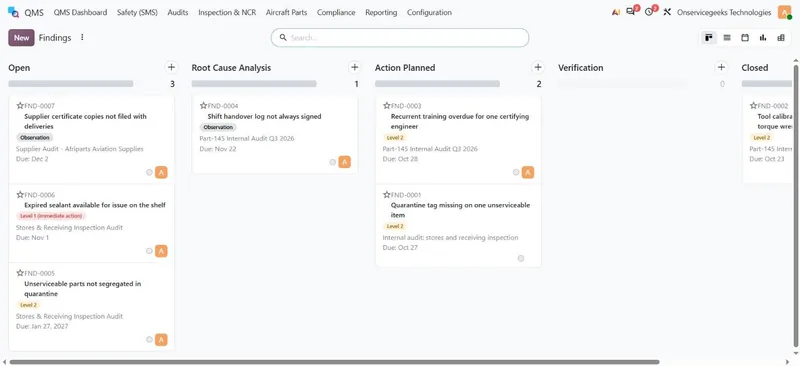
Findings drive corrective action to closure.
The finding level sets the due date. Each finding goes through root cause, corrective action and verification before it can close.
- Level 1, Level 2 and observations
- Root cause and corrective actions with owners
- Overdue items turn red on the dashboard
Where: QMS › Audits › Findings
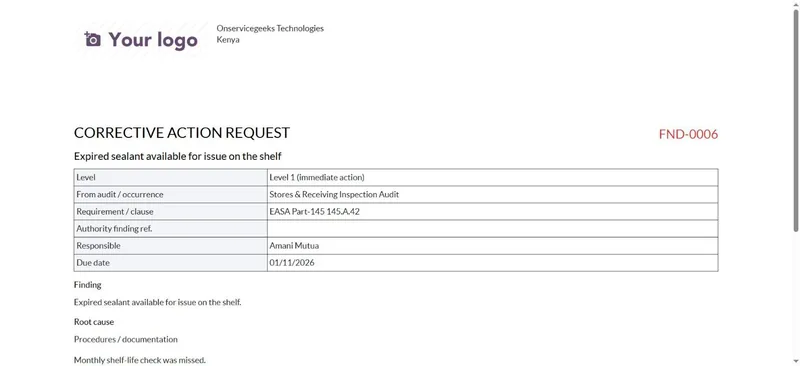
A corrective action request for every finding.
Each finding prints as a Corrective Action Request for the responsible manager, with the level, requirement, due date and root cause.
- Printed from the finding
- Clause and authority reference
- Ready for the audit file
Where: QMS › Audits › Findings › open a finding › Print
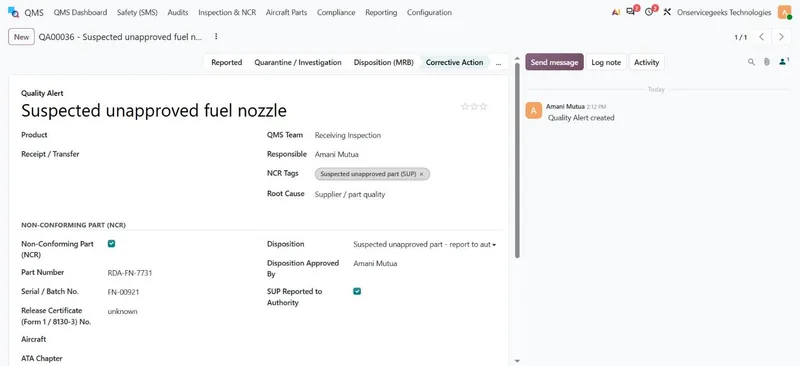
Non-conforming parts are quarantined and decided.
An NCR records the part number, serial or batch number and release certificate, holds the part in quarantine and records the review board's disposition.
- Raised from receiving inspection
- Use as is, repair, return, scrap
- Suspected unapproved parts reported to the authority
Where: QMS › Inspection & NCR › Non-Conformance Reports (NCR)
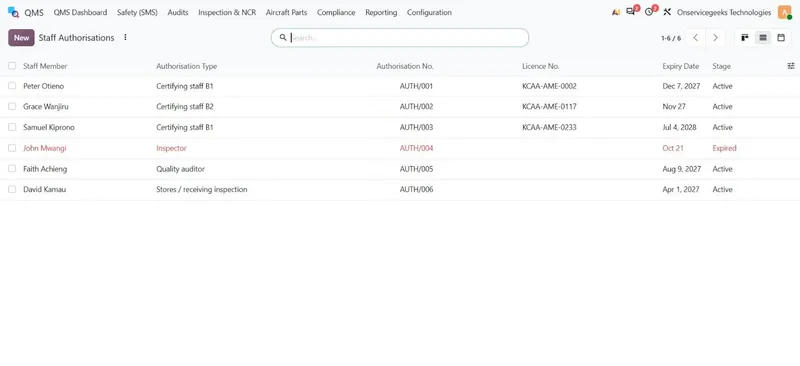
Staff authorisations never lapse unnoticed.
Certifying staff authorisations and licence numbers with expiry dates. Reminders go out before expiry, and expired authorisations show in red.
- B1 / B2 certifying staff, inspectors, auditors
- Licence numbers and expiry dates
- Training records alongside
Where: QMS › Compliance › Staff Authorisations
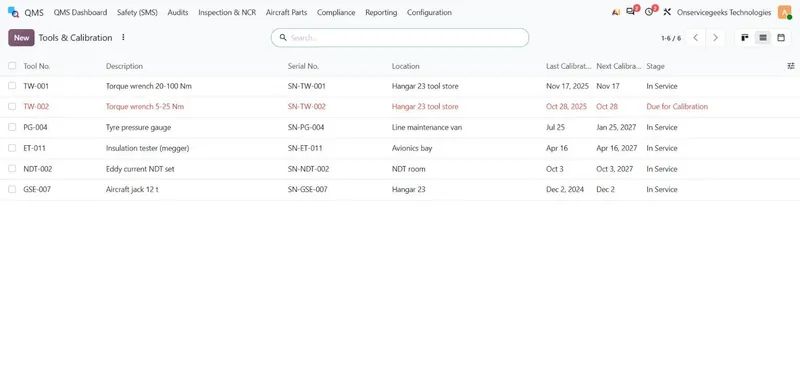
Tools and calibration kept in date.
Every tool with its serial number, location and calibration dates. A tool that is due shows in red and should not be used.
- Last and next calibration dates
- Reminders 14 days ahead
- Due tools flagged in red
Where: QMS › Compliance › Tools & Calibration
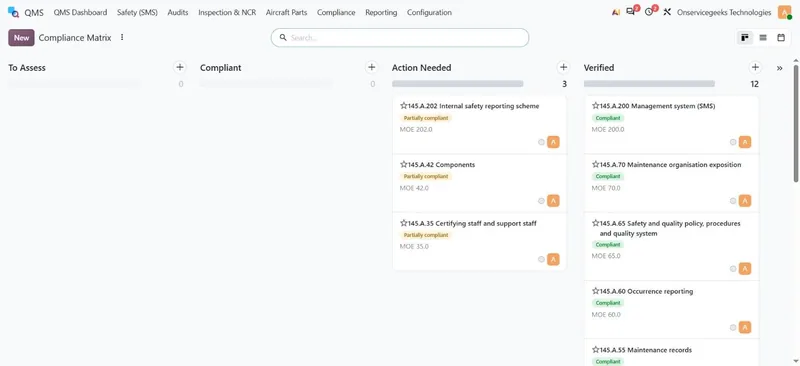
The compliance matrix shows where you stand.
Each Part-145 requirement is mapped to your exposition, with its status. Requirements that need action link to the open findings.
- Requirement, MOE reference and status
- Action needed versus verified
- Safety performance indicators against target
Where: QMS › Compliance › Compliance Matrix
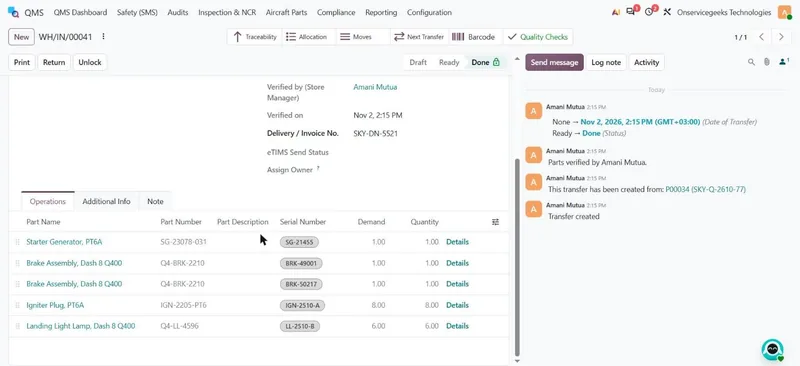
Every part is inspected before it reaches the shelf.
Goods arrive into quarantine. The engineer inspects them, with licence number recorded, and the store manager verifies them before the receipt can be validated.
- Part name, part number and serial number per line
- Engineer inspection and store manager verification
- Failed parts go to unserviceable quarantine
Where: Aviation Store › Store Overview › Goods Received (GRN)
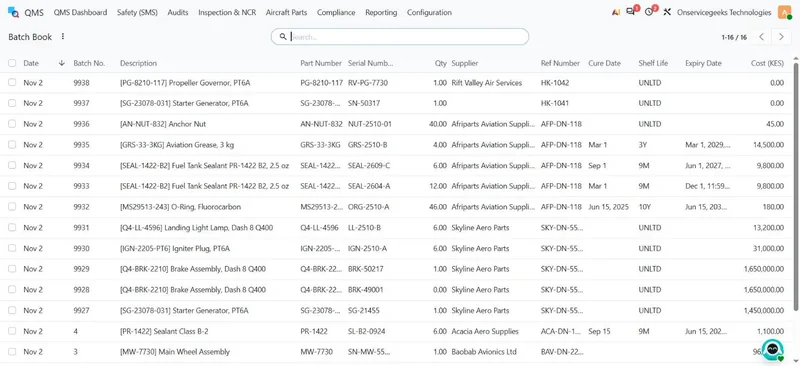
The Batch Book is written for you.
Every received part gets a batch number with its part and serial number, supplier, cure date, shelf life, expiry date and cost.
- Expiry worked out from cure date and shelf life
- Alerts 60 days before expiry and on the day
- Full traceability from receipt to aircraft
Where: QMS › Aircraft Parts › Batch Book
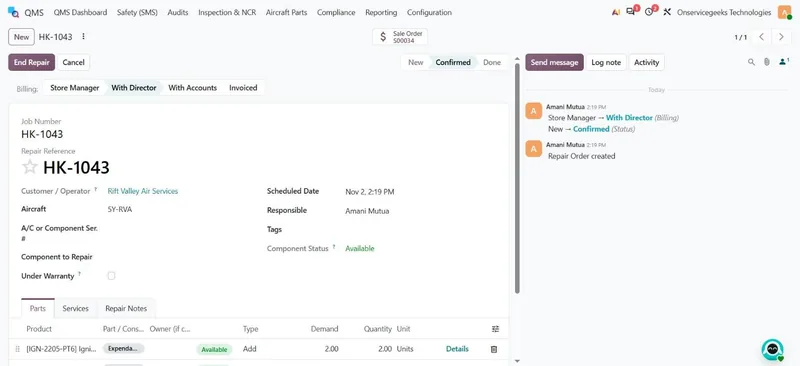
Jobs carry parts from issue to invoice.
Parts are issued against the job number. The quote goes to the director, then to accounts, and the job stage follows the documents automatically.
- Issue requisition per job
- Store manager, director, accounts, invoiced
- Customer-owned and repair-vendor parts tracked
Where: Repairs › Orders
See it on your own procedures.
We set up a live demo with your areas, audit programme and parts.